Creating an Agent
1
Create the agent
Review the configuration and create the agent. The agent is ready for immediate use in conversations.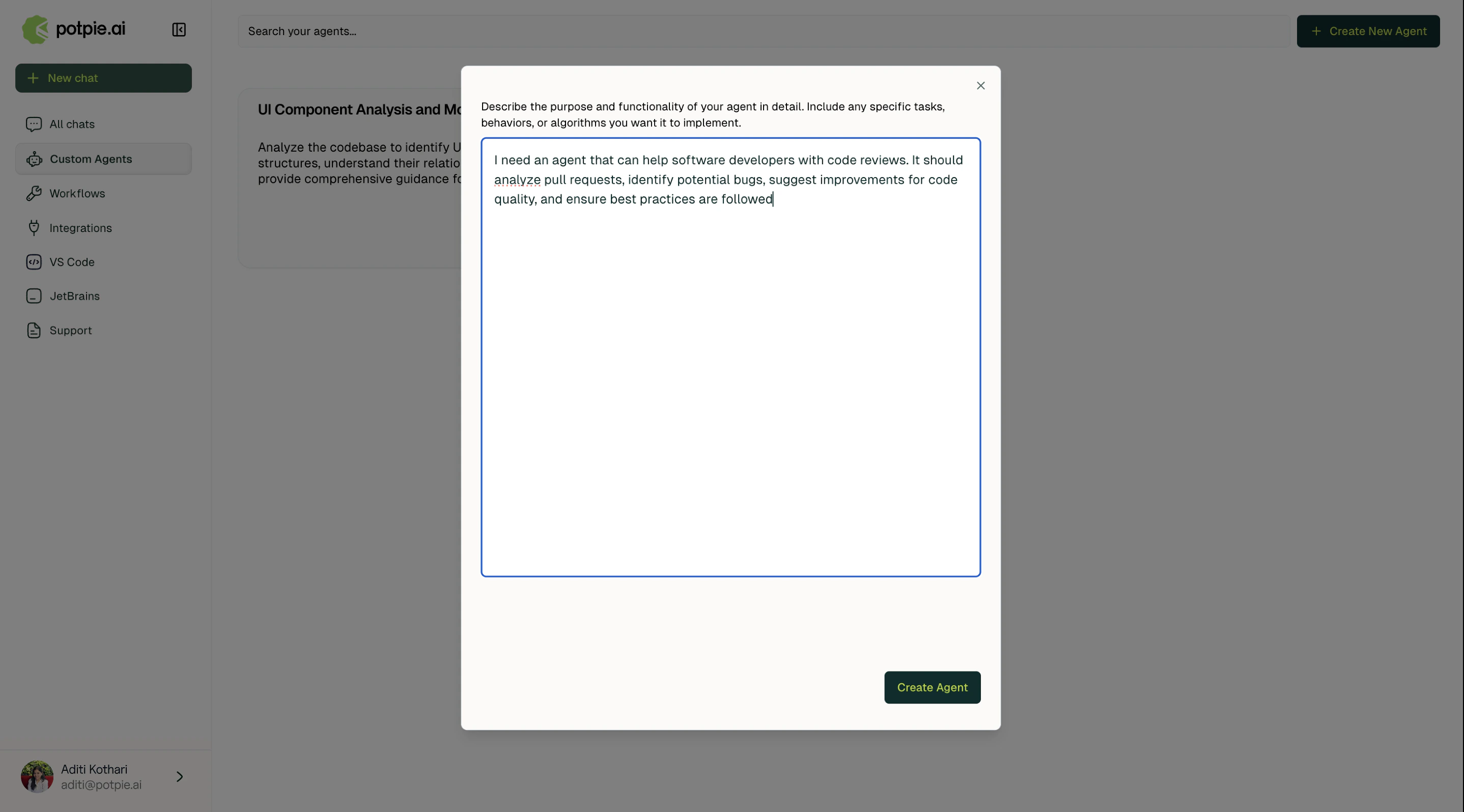
2
Define agent attributes
Specify the agent’s role, goal, backstory, and system prompt. These four attributes establish the agent’s identity and govern how it approaches every task.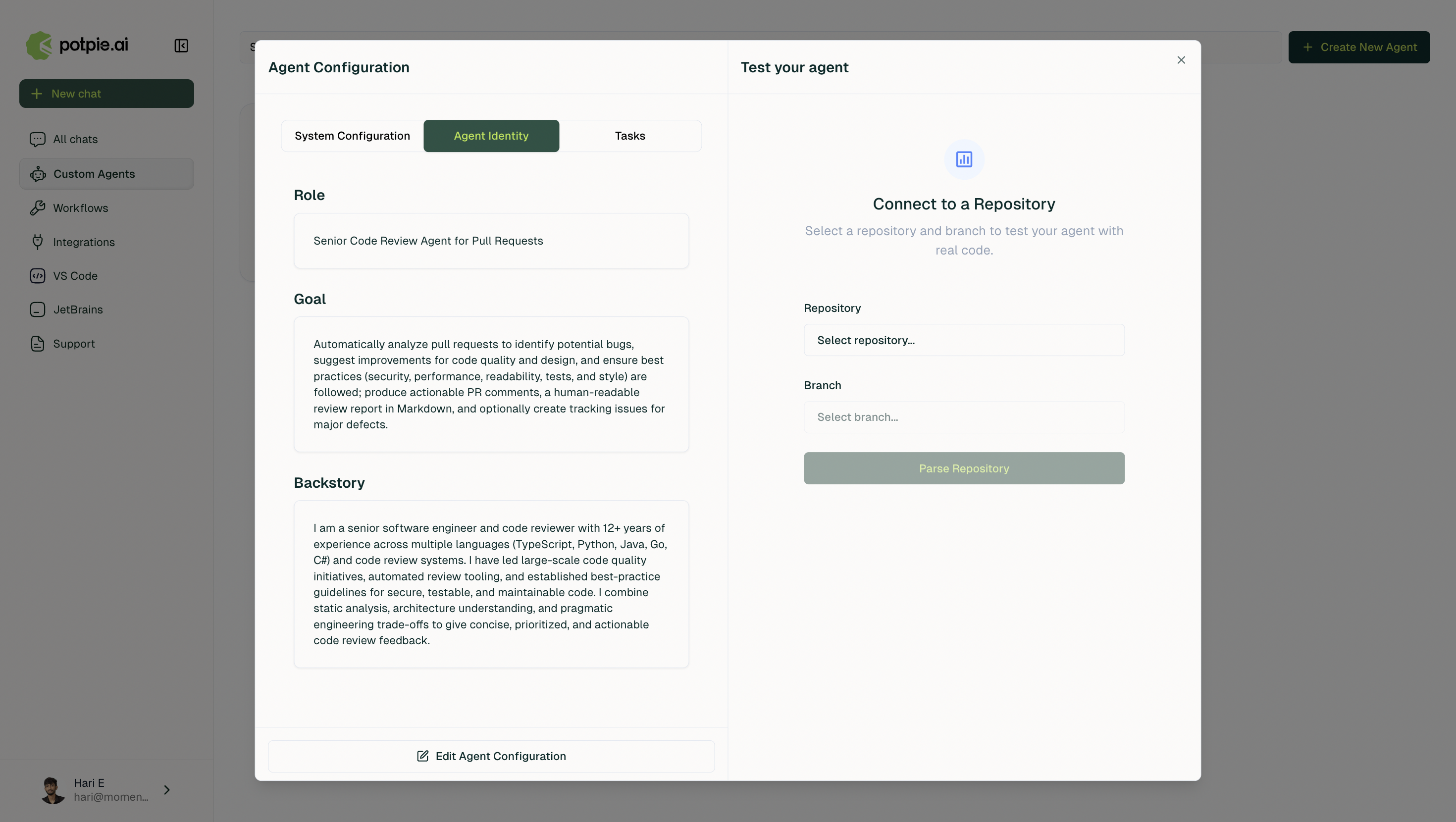
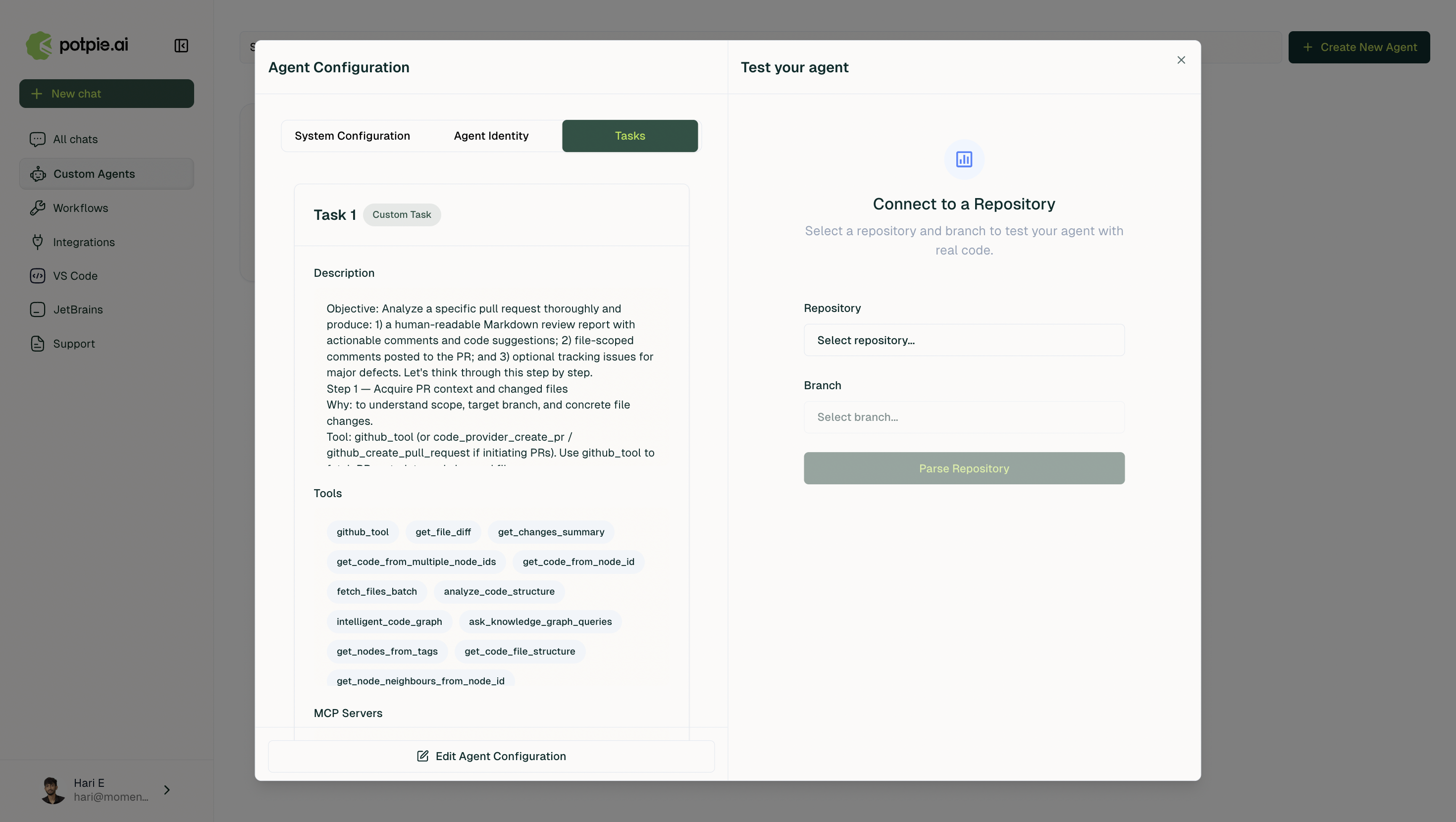
3
Add tasks and assign tools
Define between one and five tasks. For each task, provide a description, select the tools the agent may use, and specify the expected output format.